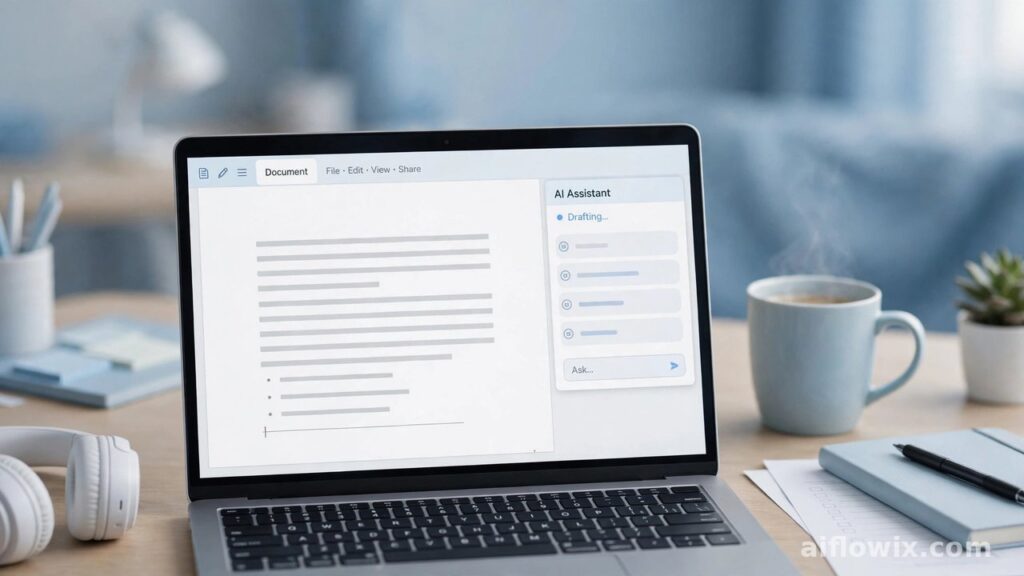
If you hate switching between your document and a chatbot, this update is for you. ONLYOFFICE 10.0 launched on October 10, 2026, with AI built straight into its free office suite. Documents, spreadsheets, presentations, PDFs — AI sits inside all of them now.
What Actually Changed
ONLYOFFICE is one of those free office tools that quietly has millions of users — over 21 million, according to the company. Every autumn they ship a big update, and 10.0 is this year’s one.
The headline? AI is no longer an add-on you install separately. It’s just… there. Open your document, and the AI tab is waiting for you.
Before this, you’d write a paragraph, then open a chatbot in another tab, paste the text, ask for help, copy the answer back. Clunky. Now? You ask right inside the file.
The update also ships four new free apps, around 50 new features, and more than 1,000 bug fixes, according to the official announcement.
The AI Tab That Does the Heavy Lifting
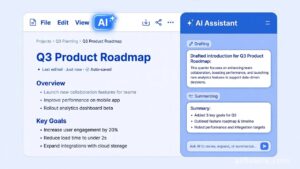
So what does this tab actually do? It has a built-in chat panel, and it reads the file you have open. That means context. Ask it to summarize, and it summarizes this document — not some generic text.
Here’s a quick list of jobs it handles: drafting new text from a short prompt, summarizing long files, translating between languages, cleaning up messy formatting, and fixing numbers and tables.
Spreadsheet folks aren’t left out either. The AI can build forecasts or make Pivot Tables from your data. And in presentations, rough bullet points turn into proper slides faster.
Quick Prompts, Custom Tricks
Here’s a nice touch: ready-made prompts. Think of them as one-click buttons for common tasks. Click one, and the AI does the job on your file. Done.
Want more control? You can save your own prompts and build custom AI actions. Do something once, save it, reuse it forever. For freelancers who write the same type of report every month, that’s a real time-saver.
Pick Your Own AI Model
Most office tools hand you one AI model and say “take it or leave it.” ONLYOFFICE does something smarter.
If you use their cloud, you connect through OpenRouter — a hub that gives you access to many different AI models. Running your own server? Then you can plug in any model you like, even one that lives on your own computer.
Why should you care? Privacy. Your client files can stay on your machine and never touch the internet. You also get to pick a model based on what matters to you — quality, speed, or cost.
Four New Apps, All Free
The update ships with four new apps that extend the suite:
- AI Agents — automates workspace tasks, with smart search and a personal knowledge base, powered by MCP servers.
- Forms — collects data and helps you study the answers.
- Files — one place to keep documents, with access controls.
- Rooms — secure teamwork spaces, including virtual data rooms for private files.
On the cloud version, they’re switched on already. On your own server, one command installs them.
Your Phone Got Smarter Too

The free iOS and Android apps now have their own AI assistant, with new provider options like Grok and DeepSeek.
Two additions I like: AI AutoFill for forms, and voice input. Fill out forms or dictate notes while you’re out. Students on the bus, freelancers at a café — you get the idea.
Security and the Rest
Not everything is about AI. Version 10.0 fixes 35 known security holes, which is good news for anyone storing sensitive work.
A few more upgrades worth knowing: the PDF editor can strip metadata, spot tables automatically, and reuse your signature. You can now follow a co-author’s cursor live in documents. Spreadsheets run faster, with better formula hints. Slides can export as GIF or video.
The desktop apps got a cleaner home screen too, plus better visuals on Linux.
So Why Does This Matter to You?
Let’s be honest: Microsoft Office isn’t cheap. Google Docs is free, but you need the internet. ONLYOFFICE sits in a sweet spot — free, works offline, and opens Word, Excel, and PowerPoint files without breaking them.
And now it has AI baked in. For a student, that means summarizing long readings or drafting essays without leaving the document. For a freelancer, it means polishing client reports, translating files, or putting together invoices in one place — no separate AI subscription needed.
The local-model option deserves a second mention. If client privacy matters in your work, your files can stay on your own computer. That’s hard to get for free anywhere else.
Getting Started
Download the free desktop editors for Windows, Mac, or Linux. The mobile apps are free too. Already using ONLYOFFICE? Just update to 10.0 and the AI tab shows up.
And if you’re building a low-cost setup, pair it with other free AI tools for freelancers. You’ll be surprised how far zero dollars can go.
Final Word
ONLYOFFICE 10.0 is the kind of update that actually changes how you work — not just a fresh coat of paint. AI inside every editor, your choice of model, four new apps, and smarter mobile tools.
Free tools with real AI are rare. If you’re writing, studying, or freelancing on a budget, give this one a try.