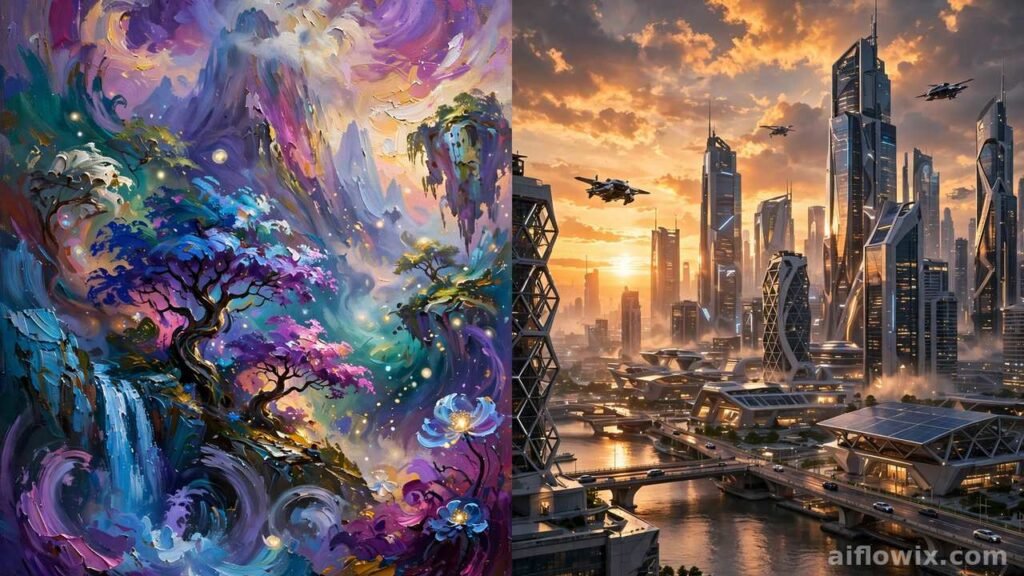
Our Editor’s Choice (Quick Answer)
Editor’s Choice: DALL-E inside ChatGPT Plus ($20/month) — our winner in this Midjourney vs DALL-E comparison for 2026.
DALL-E wins for most students and freelancers in 2026. First, you describe the image in plain words and ChatGPT makes it. Then you fix mistakes by chatting, like “make the sky darker.” There is no prompt syntax to learn. In addition, the same $20 gives you the full ChatGPT for writing, coding, and study help. As a result, that bundle is hard to beat.
However, Midjourney is still the king of beautiful, artistic images. If you are a designer or you sell artwork to clients, take the Standard plan. At $30 a month, it gives you unlimited slower generations. Above all, for pure image quality and art style, nothing beats it.
Bottom line: Pick DALL-E for ease and value. Pick Midjourney for maximum beauty and volume. Finally, read on for the full honest comparison.
Midjourney vs DALL-E: Quick Comparison Table
| Midjourney | DALL-E (inside ChatGPT) | |
|---|---|---|
| Best for | Artistic, beautiful images | Easy, accurate images |
| Starting price | $10/month (no free tier) | Free (2–3 images/day); Plus $20/month |
| Ease of use | Learning curve | Very easy — just chat |
| Image quality | Best artistic style | Best instruction accuracy |
| Editing | Built-in editor with repaint tools | Edit by chatting in plain words |
| Privacy | Public gallery below the $60 Pro plan | Private by default on all plans |
| Text inside images | Good since the V7 update | Good for short text like signs |
| High volume | Unlimited slower images on $30+ plans | About 50 images a day on Plus |
Midjourney vs DALL-E: Why This Comparison Matters in 2026
Currently, AI image tools are everywhere. For example, freelancers use them for client thumbnails, logos, and social posts. Similarly, students use them for presentations, posters, and project art. Above all, two names lead the pack: Midjourney and DALL-E.
However, both changed a lot this year. Midjourney now runs on its V8 model and works fully in your web browser. DALL-E is no longer a separate app — it now lives inside ChatGPT as native image generation. So the old advice you read last year is out of date.
This guide compares Midjourney vs DALL-E in 2026 on what matters. Specifically, we cover image quality, ease of use, price, editing tools, speed, and commercial rights. Every price and feature below was checked against current sources. Ultimately, you will know exactly which one fits your work and your budget.
What Is Midjourney in 2026?
Midjourney is an AI image generator famous for stunning, artistic images. First, you type a text description, called a prompt, and it creates four image variations in seconds. It started inside Discord in 2022. Today it runs mainly through its own website at midjourney.com, and Discord is optional.
The current model is V8.1, which became the default in June 2026. Each new version brought big jumps. For example, V7 added accurate text inside images and a Draft Mode for fast ideas. It also added an editor for fixing parts of an image. Meanwhile, V8 made images sharper and more realistic.
How it works is simple. First, you sign in with a Google or Discord account. Then you type /imagine and describe your image. Next, Midjourney shows you four options. After that, you pick one to upscale or make variations of. Finally, one standard image set takes about 4 seconds in Fast mode.
Midjourney charges you for GPU time, not per image. In other words, each plan gives you a monthly budget of Fast GPU hours. A normal image job uses about one Fast minute and returns four images. So the $10 Basic plan makes roughly 800 images a month.
However, there is no free plan and no free trial in 2026. Instead, the only trial is a limited one inside a separate mobile app. As a result, you must pay to use Midjourney.
Midjourney: Pros and Cons
Pros:
- The most beautiful, artistic AI images in 2026.
- Very fast generation — about 4 seconds per image set.
- A huge public gallery for inspiration and learning.
- Good text rendering since the V7 update.
- A built-in editor for fixing and extending images.
Cons:
- No free plan and no free trial.
- A learning curve with prompts and settings.
- Your images are public on the cheaper plans.
- The free Relax queue can mean waits of up to 10 minutes.
What Is DALL-E in 2026?
DALL-E is OpenAI’s image generator. Recently, it changed completely. For example, OpenAI retired the old DALL-E brand. Today, image generation is built directly into ChatGPT. The new models are called GPT Image. As a result, they generate images as a native part of the chat model itself.
This changes how you use it. Instead of opening a separate tool, you just chat. You type “make a poster for my bakery sale, warm colors” and ChatGPT creates it inside the conversation. Then you say “add bigger text at the top” and it edits the same image. Ultimately, everything happens in plain words.
The free ChatGPT plan includes a small number of image generations per day, about two to three. Next, the $8 Go plan raises limits to roughly ten times the free tier. Meanwhile, ChatGPT Plus at $20 a month gives expanded image generation, around 50 images a day. Finally, Team and Pro plans give higher limits for workplaces.
DALL-E’s biggest strength is prompt adherence. In fact, it follows complex instructions well. For example, describe a red bicycle leaning against a blue wall with a cat on the seat, and you actually get that scene. Also, its text rendering improved a lot. Short text like signs and labels now comes out readable, which is great for marketing visuals.
DALL-E: Pros and Cons
Pros:
- The easiest image tool to learn — you just chat.
- Great at following exact instructions.
- Conversational editing feels natural.
- Private by default on all plans.
- Bundled with the full ChatGPT for $20 a month.
Cons:
- Daily generation limits on every plan.
- Strict content filters can block harmless ideas.
- Slower per image than Midjourney’s Fast mode.
- Artistic style is less striking than Midjourney’s.

Midjourney vs DALL-E: Image Quality
First of all, this is the round everyone asks about. The honest answer is that each wins a different contest.
Midjourney wins on artistic beauty. In particular, its images look like they came from a professional digital artist. In addition, colors, lighting, and mood are richer. Above all, for fantasy art, concept art, and posters with a “wow” factor, Midjourney is still number one. If you make faceless YouTube videos, strong thumbnails decide your clicks. Our guide to faceless YouTube videos with AI tools shows how much packaging matters.
In contrast, DALL-E wins on following instructions. It places objects where you asked and gets spatial details right more often. It is also very strong at clean, photorealistic images. For product mockups, simple illustrations, and images with text, DALL-E is extremely reliable.
For text inside images, both improved in 2026. Midjourney’s V7 fixed its old weakness with readable text. DALL-E handles short text well too. However, neither is perfect with long paragraphs, though both work fine for headlines and labels.
Round winner: Midjourney for art and beauty. DALL-E for accuracy and text. If you sell visual work to clients, Midjourney’s edge in beauty matters. On the other hand, if you need the image to match exact instructions, DALL-E’s accuracy matters more.
Midjourney vs DALL-E: Ease of Use
Above all, DALL-E wins this round clearly. In fact, you already know how to use it if you can chat. There is no syntax to learn and no settings to tune. Instead, you describe what you want in normal sentences. As a result, beginners get good results on day one.
In contrast, Midjourney has a learning curve. Good results need prompt craft: style words, aspect ratio settings, and parameters like stylize values. However, the web app made this easier than the old Discord days. In addition, Draft Mode helps you test ideas fast. Still, a beginner’s first Midjourney images will look worse than a beginner’s first DALL-E images.
Ultimately, for students and busy freelancers, this matters. On one hand, DALL-E saves you learning time. On the other hand, Midjourney rewards the time you invest with better-looking images.
Round winner: DALL-E, by a clear margin.
Midjourney vs DALL-E: Pricing in 2026
Price decides for many readers, so here are the real numbers, checked this month.
Midjourney plans (2026):
| Plan | Monthly | Yearly (per month) | Fast GPU time | Notes |
|---|---|---|---|---|
| Basic | $10 | $8 | 3.3 hours | About 800 images; no Relax mode; images are public |
| Standard | $30 | $24 | 15 hours | Unlimited slower Relax images; images are public |
| Pro | $60 | $48 | 30 hours | Unlimited Relax; private Stealth mode |
| Mega | $120 | $96 | 60 hours | For studios and heavy users |
Yearly billing saves 20%. However, you pay the full year upfront. In addition, extra Fast hours cost $4 per hour on any plan. Finally, unused hours do not roll over to the next month.
The Standard plan is the sweet spot. For example, once your 15 Fast hours run out, Relax mode keeps generating for free in a slower queue. Consequently, Standard is effectively unlimited for patient users. You can read a detailed breakdown in this Midjourney review with current 2026 pricing.
DALL-E (ChatGPT) plans (2026):
| Plan | Monthly | Image generation |
|---|---|---|
| Free | $0 | About 2–3 images per day |
| Go | $8 | Basic image generation, about 10x free limits |
| Plus | $20 | Expanded generation, about 50 images per day |
| Team | $25 per user | Higher limits for teams |
| Pro | $200 | Highest limits for power users |
The key difference: Midjourney’s price buys ONLY images. In contrast, ChatGPT Plus at $20 buys image generation PLUS the full ChatGPT — writing, coding, research, voice, and more. As a result, for a student or freelancer, that bundle is very strong value. This DALL-E review covers what the $20 plan gives you.
However, watch the math if you generate a lot. Midjourney Standard at $30 gives unlimited Relax images. A heavy DALL-E user on Plus hits the 50-a-day ceiling. High-volume artists get more images per dollar from Midjourney Standard.
Round winner: DALL-E for value (images plus full ChatGPT for $20). Midjourney for volume (unlimited Relax images at $30).
Midjourney vs DALL-E: Editing and Fixing Images
Rarely is any AI image perfect on the first try. Therefore, editing tools decide how fast you fix mistakes.
With DALL-E, you edit by conversation. First, look at the image and type your fix. For example, try “change the car color to red” or “remove the person on the left.” Then ChatGPT edits that same image. In addition, you can upload a reference photo and ask for a similar style. As a result, this feels natural and needs no tutorial.
In contrast, Midjourney edits with its built-in editor. You can repaint parts of an image and extend the edges outward. You can also create variations of any image you like. Its style reference tools keep characters and objects consistent across images, which client work often needs.
Ultimately, both approaches work. On one hand, DALL-E’s chat editing is faster to learn. On the other hand, Midjourney’s editor gives finer control once you learn it.
Round winner: Tie. DALL-E is easier; Midjourney is deeper.
Midjourney vs DALL-E: Speed and Workflow
Speed feels different on each tool. Midjourney’s Fast mode returns four variations in about 4 seconds. That is great for exploring many ideas quickly. However, when Fast hours run out, Relax mode puts you in a shared queue. As a result, waits run from zero to 10 minutes.
DALL-E makes one image at a time inside your chat. Meanwhile, each image typically takes 30 seconds to 2 minutes. The chat thread keeps your full history, so you can scroll back and branch any earlier version.
The workflows differ too. Midjourney feels like a gallery and mood board. You browse, compare variations, and remix. In contrast, DALL-E feels like a conversation. You iterate with words and keep one evolving image.
For batch work like 20 thumbnails in an afternoon, Midjourney’s four-at-a-time grids and Relax mode win. On the other hand, for one-off precise images, DALL-E’s chat flow wins.
Round winner: Midjourney for batch speed; DALL-E for focused one-off work.
Midjourney vs DALL-E: Commercial Use and Privacy
Can you sell what you make? Both say yes, with rules.
Midjourney grants commercial rights under its General Commercial Terms on all paid plans. However, there is a catch on privacy. On Basic and Standard, your images are public in the Midjourney gallery. Consequently, anyone can see them. Private images need Stealth mode, which starts at the $60 Pro plan. Finally, companies earning over $1 million a year must also use Pro or higher.
DALL-E images come with commercial usage rights too. In contrast, privacy is simpler with DALL-E: your chats are private by default. Nobody browses your generations in a public gallery.
DALL-E also has stricter content filters. It refuses violent, hateful, or adult content. It will not make copyrighted characters or real public figures. Midjourney has rules too, but DALL-E says no more often. For client work this is usually fine. However, creative users sometimes find it limiting.
Round winner: DALL-E for privacy and simplicity. Midjourney is fine for commercial use if you pay for Stealth.
7 Practical Tips to Get Better Images From Either Tool
First of all, you do not need to be an artist. The seven tips below improve results on both tools from day one.
1. Name the style. Add words like “watercolor,” “photorealistic,” or “flat vector illustration.” The style words shape the whole image.
2. Describe the light and mood. “Warm sunset light” or “dark moody atmosphere” changes everything. In fact, light is half of every good image.
3. Set the composition. Say “close-up portrait” or “wide landscape shot.” As a result, this controls framing better than any other trick.
4. With DALL-E, iterate by chatting. Do not rewrite the whole prompt. Instead, just say “make it brighter” or “move the text to the top.” Small steps beat big rewrites.
5. With Midjourney, use variations first. Generate four options, then pick the best. After that, make variations of it. Finally, only upscale when you love the base image.
6. Pick the aspect ratio early. Thumbnails need 16:9. Posters need portrait. Therefore, set it before you generate, not after.
7. Fix small flaws instead of regenerating. Repaint a wrong hand or odd text in the editor. As a result, it is faster than generating the whole image again. If you create social media posts with AI, these small fixes save hours. See our guide to creating social media posts with AI.
Who Should Pick Midjourney?
Pick Midjourney if you are a designer, digital artist, or freelancer who sells visuals. In fact, your clients pay for beautiful images, and Midjourney’s artistic edge shows in the final work. Take the Standard plan if you can. In addition, at $30 a month, its unlimited Relax images handle steady client volume.
Choose Midjourney for YouTube thumbnails, game art, book covers, or fantasy illustrations. Indeed, these projects need the “wow” factor that Midjourney delivers best.
Finally, pick Midjourney if you enjoy the craft. Although learning prompts and parameters takes time, the ceiling is higher. In fact, many artists say Midjourney images need less fixing in Photoshop.
On the other hand, skip Midjourney if you only need a few images a month and hate learning new tools. The $10 Basic plan ends when your Fast hours run out, so there is no free tier to test with.
Who Should Pick DALL-E?
Pick DALL-E if you are a student or freelancer on a budget. In fact, ChatGPT Plus at $20 gives you image generation plus the full ChatGPT. One subscription covers your writing, studying, coding help, and images. For example, our roundup of the best AI tools for freelancers shows how one good subscription beats five weak ones.
If you want results in minutes instead of days, pick DALL-E. No prompt course is needed. Instead, describe the image like you would to a friend, then refine it by chatting.
When your images need exact details or readable text, choose DALL-E. For instance, product shots, infographics, posters with headlines, and presentation slides come out accurate.
Choose DALL-E if privacy matters and you will not pay $60. Above all, your generations stay private on every plan, even the free one.
However, skip DALL-E if you generate hundreds of artistic images daily. The daily limits will slow you down, while Midjourney’s unlimited Relax mode fits that workflow better.
Final Verdict: Our Editor’s Choice
Editor’s Choice: DALL-E inside ChatGPT Plus ($20/month) — for most students and freelancers.
We compared image quality, ease of use, price, editing, speed, and commercial terms. DALL-E wins on ease of use, value, and privacy. Meanwhile, Midjourney wins on artistic beauty and high-volume generation.
For most readers of this site, DALL-E is the smarter pick. First, it costs less than Midjourney’s sweet-spot plan. Second, it needs zero learning. Third, it edits images through normal chat. Finally, the same $20 gives you the full ChatGPT for all your other work. As a result, that combination is hard to beat in 2026.
However, choose Midjourney Standard ($30/month) if you are a visual creative who lives on image quality and volume. In fact, its artistic output is still the best in the business. In addition, unlimited Relax generations are a great deal for heavy users.
Either way, you get a top-class AI image tool. For example, try DALL-E free inside ChatGPT today — a few images a day cost nothing. If you outgrow it, Midjourney will be waiting.
FAQs
Is Midjourney better than DALL-E in 2026?
In short, Midjourney makes more beautiful, artistic images, while DALL-E follows instructions more accurately and is easier to use. Neither is better at everything. Therefore, pick Midjourney for art, and DALL-E for ease and value.
Can I use Midjourney for free?
No. Midjourney has no free plan and no free trial in 2026. Instead, the cheapest entry is the Basic plan at $10 a month. Note that a limited trial exists only in a separate mobile app.
Can I use DALL-E for free?
Yes, partly. For example, the free ChatGPT plan includes about two to three image generations per day. For regular use, take ChatGPT Plus. As a result, at $20 a month, it gives around 50 images a day plus the full ChatGPT.
Which is cheaper, Midjourney or DALL-E?
First, DALL-E is cheaper to start. A free tier exists, and Plus is $20 a month including all of ChatGPT. In contrast, Midjourney starts at $10, but its best-value plan is Standard at $30. As a result, heavy image creators get more images per dollar from Midjourney Standard’s unlimited Relax mode.
Can I sell images made with Midjourney or DALL-E?
Yes. Both grant commercial usage rights on paid plans. However, note that Midjourney images are public on Basic and Standard plans. Therefore, you need the $60 Pro plan for private Stealth mode.