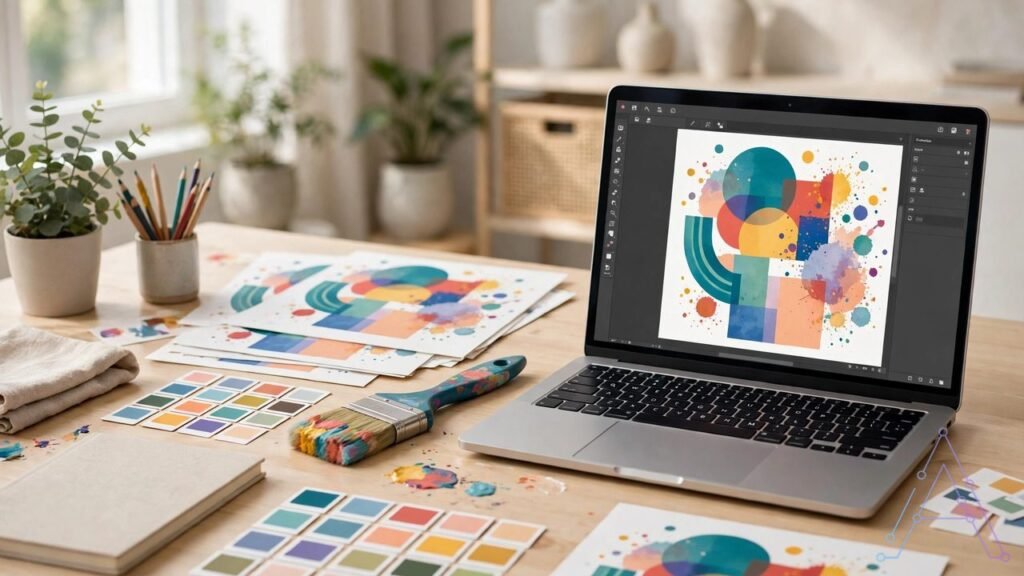
If you have ever spent twenty minutes nudging a text box two pixels to the left, this one is for you. Canva has launched a tool called Brush, and the idea is almost rude in its simplicity. You point at a design you already made, you say what to change in plain words, and it changes that part. Not the whole thing. Just that part.
Canva announced Brush on October 29, 2026, on its blog and on X. The demo video crossed 2.2 million views within hours, which tells you something by itself. People are tired of AI tools that hand them a brand-new picture when all they wanted was one line fixed.
What happened
Here is why this is different. Most AI image tools work like an over-eager assistant. You ask for a cup of tea, they rebuild the kitchen. You get a fresh image, sure, but it is rarely the image you had, and now you are fixing their mistakes instead of doing your work. Brush flips it. It studies your design first — the layout, the layers, the colours — and only then touches the piece you named.
What is Canva Brush, exactly
Canva calls Brush a vision-language model. Strip the jargon and it is this: vision means it can see your design, language means it understands your words. Seeing plus understanding. That pairing is the whole trick, because a normal chatbot can read your request but has no idea what your slide actually looks like.
Brush comes from Canva Research, the company’s own AI lab, roughly 160 people. And it is their first model built only for editing. Not for generating pictures from scratch. Editing. That narrow focus shows in small ways. Before it changes a thing, it reads where your text sits, which fonts and colours you used, and how a set of slides holds together as one piece of work.
What you can change with it
The list runs from tiny to huge. Fix one line of text. Swap a colour that is fighting the rest of the page. Or go big and restyle an entire deck in one instruction. You can even start from a blank page, Canva says, though editing is clearly the home ground here.
Take Canva’s own demo. A three-page pitch deck for a bakery, Art Nouveau style. Brush plans the little story across all three pages, writes and places the text, picks images that fit, and holds the same look from the first page to the last. Nobody had to babysit page two.
The part that sold me is quieter. Old AI tools had a bad habit. Ask for one small correction and they would return your design with five other things changed — a different font here, a moved logo there — and you would only notice later. Brush is built the opposite way. The rest of your design stays where you left it. And whatever it makes stays editable. Text stays text. You can grab it, move it, recolour it by hand. Nothing gets baked into a flat image that you can never open up again.
How Brush works behind the scenes
The working method is oddly familiar. Brush writes code to make your change. Then it renders the page and looks at what it made. If something is off, it fixes that and looks again. Round and round, until the page looks right.
Which is, when you think about it, exactly how a human designer works. Nobody nails a layout first try. You try, you squint, you fix. Brush just does the squinting at machine speed.
For training, Canva Research did not start from zero. They took an open-weights model and trained it further on real design work, feeding in the company’s design knowledge and lessons from users who had opted in to help improve Canva AI.
How fast is it, really
Now the claims, because they are large. Canva says Brush edits up to 69% faster than its old design agent, and that each edit costs 46% less. Read those numbers with one eyebrow up. They come from Canva’s own testing. No outside team has verified them yet, so file them under claims, not facts.
Still, the direction makes sense to anyone who has done design work for money. The first draft is never the slow part. The slow part is the fifteenth small fix, the resize for Instagram, the same poster rebuilt in three sizes. If Brush eats even half of that work, the real saving lands where the pain actually is.
Why it matters for freelancers
Freelancers know the cycle by heart. The client wants one line changed. Done. Then, warmer. Then, a square version for Instagram. Three tiny requests, one dead evening — and if you charged a fixed price for the project, those hours come out of your own pocket.
That is the gap Brush is aiming at. Test a new colour in seconds. Take a deck you built for one client, restyle it for the next, without rebuilding a single page. Fonts and colours hold steady across the whole set, so the work still looks like one professional made it on purpose.
It helps small sellers too. Think of a bakery owner. She needs a menu, a poster for the window, and a post for social media, and all three should look like they came from the same shop. Hiring a designer for every small job is not realistic at that size. A tool that holds one style across all three pieces genuinely changes her week.
Why it matters for students
Students live in slides. Project covers, class posters, presentation after presentation. Many of them think well and design badly. The ideas are solid, the slides are a mess, and the mess is what the class remembers.
Brush narrows that gap. Start with a rough slide and ask for a tidier layout. A stronger title. Every slide matching the first one. The content was always yours. Now it stops looking like it was assembled at 2 a.m. — even if it was.
One warning, and I mean it. Brush is a design tool, not a homework machine. It will make your work look better. It will not give you the work. Your ideas and your words still have to come from you, or you learn nothing and the risk lands on you, not on Canva.
How to try Canva Brush
You need Canva Pro. That is the gate right now. Open Canva AI, bring up a design you already have — or attach or link one — pick Brush from the dropdown, and type the change in plain words. One practical tip. Short beats clever. “Make the title bigger and dark blue” will get you further than a long, vague paragraph of hints.
Wider access is coming, Canva says, though it has not given free users a date. Two planned extras matter. Brand Kit support, so Brush can follow your brand colours and fonts by itself. And attachment referencing, where you show it an example and ask it to match that look.
Context worth knowing: Brush arrived one week after Canva Craft, the company’s first image-generation model, which Canva says ranks second only to OpenAI’s image models on DesignArena. So the pair split the job between them. Craft makes new images. Brush fixes the ones you already have.
What it cannot do yet
Honesty time. Pro-only, for a start. Free users wait. It also handles supported edits only, which is Canva’s way of saying not every change you can imagine is on the menu yet. And the speed and price numbers remain Canva’s own, unproven by anyone outside the company.
The bigger limit is not technical. Brush cannot rescue a muddled message. If your text confuses people, a cleaner slide just makes tidy confusion. Clear thinking first, pretty slides second. Brush only helps with the second part.
Should you try it
If you already pay for Pro, yes, try it. Small first. One line. One slide. Then zoom out and check the only thing that matters: did everything else stay exactly where you left it? If yes, you have found something real, and you can trust it with bigger jobs.
On the free plan, wait. Watch what Pro users say over the next few weeks. Tools like this usually improve fast in their first months, and there is no prize for arriving early to somebody else’s beta test.
Full honesty from my side: I have not run Brush myself yet, because it sits behind the Pro gate, so this article leans on Canva’s announcement and the first reports, all linked below. But the shift underneath it feels real, whichever tool wins. AI design is growing out of the party trick — making random pictures — and into the useful work: editing properly. Most of us never needed more pictures. We needed our own pictures fixed.
Sources
Canva official announcement: https://www.canva.com/newsroom/news/canva-brush/
Fast Company report on Canva Brush: https://www.fastcompany.com/91633207/could-canva-brush-new-ai-feature-end-graphic-design-slop
Gadgets360 report on Canva Brush: https://www.gadgets360.com/ai/news/canva-brush-vision-language-model-launched-features-12259174