Introduction
Anyone who has made a training video the old way knows how slow it is. You hunt for a room, set up a camera, find someone willing to present — and then the editing eats your weekend.
Students and freelancers rarely have that kind of time. Or that kind of budget.
That is the problem Synthesia AI wants to solve. Type your script, pick a digital presenter, and the tool builds the video — no camera, no studio, no actor to book.
So the real question behind this Synthesia AI review 2026 is simple: is it worth your money? Below I go through the features, the prices, and the good and bad sides, all in plain words.
The short answer: yes, for training and explainer videos. But the pricing has a catch, because everything runs on minutes and credits. Stay with me and I will explain that catch properly.
Editor’s Choice: If you are a student or a new freelancer, go with the Starter plan. It is the cheapest paid plan, and it gives you downloads, no watermark, and 125+ avatars. Move up only when client work pays for the extra minutes.
What Is Synthesia AI?
In simple words, Synthesia takes your text and turns it into a video with a presenter in it.
You write the script, choose an AI avatar, then pick a language and a voice. Synthesia builds a video of that avatar reading your script out loud, and you can add slides, pictures, and text on screen around it.
The company goes back to 2017 and sits in London. Synthesia says over 50,000 teams use it today, and that over 90% of Fortune 100 companies trust it. Treat those as company claims, though — they show big firms use it, not that it is right for you.
One thing must be clear: Synthesia is not a film maker. It will not give you movie scenes with cars and beaches. That kind of work belongs to tools like Google Veo and Runway.
Synthesia makes presenter videos — one person on screen, talking to the viewer. That is its whole job. For training, onboarding, and product explainers, it fits well. For a short film or a viral ad, not so much.
How Synthesia AI Works
People hear “AI video” and think it must be complicated. It is not. The whole process is five steps:
1. You write a script. Type the words you want the presenter to say. Keep them clear and short.
2. You pick an avatar. Choose a stock presenter, or use a personal avatar on a paid plan.
3. You pick a voice and language. Synthesia lists 160+ languages and 1,000+ voices.
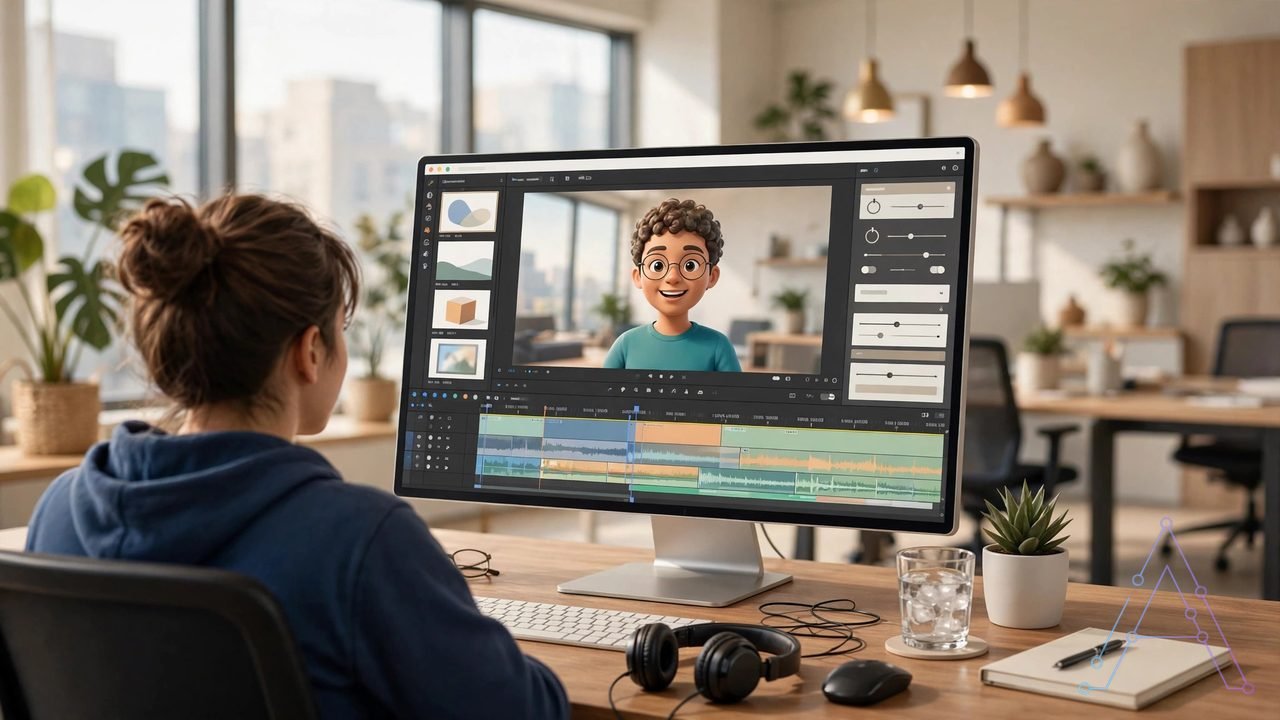
4. You build the scenes. Add slides, images, shapes, and text — one part of your script in each scene.
5. You make the video. Hit generate, wait a few minutes, then download it or share it with a link.
That is it. Most short videos are ready fast, and you need no editing skills to start.
Key Features of Synthesia AI
AI Avatars That Present Your Script
This is the heart of the tool. You get a digital presenter who speaks your words, lips moving in time with the voice, with small hand and head movements on top.
How many you get depends on your plan. Basic, the free one, gives you 9 stock avatars. Starter opens up 125+, the higher paid plan 180+, and Enterprise 240+.
You can also make a personal avatar — a digital twin of you. Record a short video of yourself, and the tool builds an avatar that looks and sounds like you. Starter gives you 3 personal avatars, the higher paid plan 5, and Enterprise unlimited.
Are they perfect? No. Look closely and you can tell the presenter is AI — the face can look a bit stiff at times. For a training video, that is fine. For an emotional story, a real person still wins.
160+ Languages and 1,000+ Voices
This is a big strength. Synthesia supports 160+ languages and lists 1,000+ AI voices. Write one script in English, then make the same video in Urdu, Spanish, French, and many more.
Why does this matter? Picture a small team with staff in three countries. In the past, they hired voice actors in each country and filmed the video three times. That cost serious money and time.
With Synthesia, you change the language and the voice, the avatar speaks the new version, and the slides stay the same. For global teams, that saves real work.
Voice quality is good in most major languages, but it can sound less natural in some smaller ones. Always listen to one full test video before you pay for a big project.
AI Video Assistant: From Document to Draft
Paid plans add the AI Video Assistant, and it is handy. Give it a document, a link, or a prompt, and it turns that material into a first video draft.
Say you have a 10-page employee handbook. Paste it in, and the assistant picks the main points, writes a short script, and splits it into scenes. You then edit that draft by hand.
Is the first draft perfect? No. You must check every fact and fix the tone. But as a starting point, it beats staring at a blank page.
AI Dubbing and One-Click Translation
Synthesia also dubs videos you already made. Upload your video, and the tool translates the speech and syncs the new voice to the speaker’s lips.
The top plan offers one-click translation into 80+ languages — an Enterprise feature. Lower plans offer dubbing too, but with tighter limits. Check your plan before you promise a client 10 language versions.
This suits training teams best. A safety course in one language can reach staff in many countries — no filming again, no hiring 10 voice actors.
Templates, Brand Tools, and Screen Recording
Synthesia gives you 60+ video templates covering training, onboarding, sales, and how-to videos. A template gives you a clean layout; you just swap in your own words and images.
Brand tools keep your look steady. Add your logo and brand colours. Enterprise adds full brand kits.
You can also record your screen inside the tool — show a website or a software step while the avatar explains it. That mix works well for software training.
Interactive Video and SCORM on Enterprise
Some teams need quizzes inside the video, and a way to track who finished a course. Synthesia offers these on higher plans.
Interactive video lets viewers click choices inside the video. SCORM export loads the video into a learning system, which tracks views and quiz scores.
Both matter most for big companies and schools. A solo freelancer may never need SCORM — do not pay for Enterprise just to get it.
What Is New in Synthesia AI in 2026?
Three changes stand out this year.
First, the avatar model got better. The Express-2 model shipped in late 2025 and made lip-sync and gestures more natural. Faces still look like AI at close range, but far less stiff than older versions.
Second, pricing moved to credits. Credits are now the shared pool for video, dubbing, and other AI features. Your plan gives you a set amount, and each feature spends credits at its own rate. That makes costs harder to predict than a simple minute limit did — more on this in the pricing section below.
Third, plan names changed in October 2026. The old Creator plan is now called Pro on newer pricing pages, though some older pages still say Creator. It is the same middle paid plan, but the name change confuses people. Always check the live pricing page before you pay — do not trust an old screenshot.
There is also a newer interactive avatar product called Syren, which lets viewers talk with an avatar in real time. This review focuses on the main video studio.
Synthesia AI Pricing in 2026
Read this section with care. The price tag is only half the story — the other half is minutes and credits.
Synthesia lists four plans. The prices below come from checks in September and October 2026, and different pages show slightly different numbers because of the October name change and billing options. Check the live page before you buy — that advice matters more here than for most tools.
| Plan | Price (monthly) | Video allowance | Main extras |
|---|---|---|---|
| Basic | $0 | About 10 minutes per month | 9 stock avatars, watermark, share by link only |
| Starter | $29 monthly, less on yearly billing | About 120 minutes per year | 125+ stock avatars, 3 personal avatars, downloads, logo removed |
| Creator / Pro | $89 monthly, less on yearly billing | About 360 minutes per year | 180+ stock avatars, 5 personal avatars, interactive video, API access |
| Enterprise | Custom price | Unlimited minutes | 240+ stock avatars, unlimited personal avatars, SCORM, SSO, brand kits |
Now, four honest warnings before you pick a plan:
- The free plan is a test, not a tool. About 10 minutes a month, watermarked videos, no downloads, only 9 avatars. Fine for testing avatar quality. Useless for running a channel.
- Yearly billing saves money. Monthly billing costs more per month; yearly billing drops the rate. If you will use it for a year, yearly billing makes sense.
- Minutes run out fast. Starter’s 120 minutes a year is about 10 minutes a month — one short training course can eat that in a week. Creator’s 360 minutes a year is about 30 minutes a month. Plan your video list before you pick a plan.
- Credits add a second limit. Credits also pay for dubbing, surveys, and AI-made assets, and a feature can cost more credits than you expect. Watch your balance weekly, not monthly.

Pros of Synthesia AI
Let me start with the good side — there is plenty of it:
- Very easy to start. No camera, no studio, no editing skills. Type a script, pick an avatar, and you are off.
- Fast for repeat work. One training video can become 10 language versions in a single day.
- Huge language support. 160+ languages and 1,000+ voices — hard to beat.
- Steady presenter. The same avatar can present a whole course, keeping the look clean.
- Good for teams. Templates, brand tools, and guest seats help teams work together.
- Strong safety and compliance tools. SOC 2, GDPR, and SSO on Enterprise suit big companies.
- Free plan costs nothing to test. No credit card needed — just sign up and try it.
Cons of Synthesia AI
Now the honest part. No tool is perfect, and this one has real problems:
- The price meter is confusing. Minutes plus credits is hard to track, and costs can surprise you mid-month.
- Minutes are tight on low plans. About 10 minutes a month on Starter is small for a busy creator.
- Top features sit behind Enterprise. SCORM, full brand kits, and one-click translation cost the most.
- Avatars can look stiff. Up close, you can tell the presenter is AI. Emotional talks still need a real person.
- Not made for social ads. It makes presenter videos, not fast viral clips. Other tools fit TikTok ads better.
- One editor seat per plan. A five-person team on a low plan may need five seats — that adds up fast.
- Free plan blocks downloads. You can share a link, but you cannot download a clean video file.
Synthesia AI vs Pictory AI: Quick Comparison
People ask me this a lot: “Should I get Synthesia or Pictory?” Here is the short version.
Pictory is great at one job: turning written content you already have into short videos. Blogs, scripts, and long videos become social clips. We reviewed it here on aiflowix too.
Synthesia is different. It makes a presenter speak your script on screen — training and onboarding suit it best. It does not turn a blog into a fast social clip the way Pictory does.
| Point | Synthesia AI | Pictory AI |
|---|---|---|
| Main strength | Avatar presenter videos | Turning blogs and text into video |
| Free plan | Yes, about 10 minutes a month | Free trial only |
| Price starts at | $29 a month for Starter | $19 a month billed yearly |
| Languages | 160+ languages | 50+ languages |
| Avatars | 125+ to 240+ stock avatars | No AI presenter avatars |
| Best for | Training, onboarding, explainers | Bloggers who reuse written content |
My take? Need a presenter for training — Synthesia wins. Mainly want to reuse blog posts as videos — Pictory may suit you better. Read our full Pictory AI review 2026 for the deep dive. You can also compare both with our InVideo AI review 2026 for prompt-based video making.
How to Make Your First Video: Step by Step
Enough theory — let us actually do it. Here is the whole process, start to finish:
Step 1: Sign up free. Go to the Synthesia site and create an account. No credit card needed; it takes two minutes.
Step 2: Start a new video. Pick a blank video or a template. For your first test, a simple training template is best.
Step 3: Write a short script. Keep it to 60 seconds. Something like: “Welcome to our shop safety course. Today you will learn three simple rules.” Short scripts test the voice fast.
Step 4: Pick an avatar and voice. Try two or three avatars. Listen to each voice at full speed, and pick the one that sounds most natural for your topic.
Step 5: Add one slide. A title slide with your course name. One image if you have it. Keep the layout clean.
Step 6: Make the video. Click generate, wait a few minutes, then watch the whole video once, start to end.
Step 7: Fix what bugs you. Change a word that sounds odd, swap an avatar that looks stiff, then make the final version.
Try this once with a 60-second video, and you will understand the whole tool in under 30 minutes.
Synthesia AI for Students: Is It Worth It?
Short answer: it depends on what you are doing.
For class projects, the free plan is plenty. Hand in a polished video talk instead of plain slides — teachers notice extra effort. Or turn study notes into a short explainer video; teaching a topic is a great way to learn it.
Want to start a YouTube channel? Study tips and how-to videos can work, and Synthesia makes them without a camera. But here is the honest math: posting daily, the free plan will not last a week — you will need Starter at least. Ask yourself: will this channel pay that back, or is it just for fun? If it is just for fun, stick with free.
Synthesia AI for Freelancers: Can It Make You Money?
This is where Synthesia gets serious. Short training videos are in high demand, and small firms pay real money for them.
Here is how freelancers actually use it:
- Training video gigs. A local firm needs a safety course or an onboarding video. You write the script and make the video, and charge for the full job.
- Product explainers. A shop wants a clear video for a new product, and an avatar explains it step by step.
- Multi-language versions. A client wants English and Spanish versions. You make both from one script — and charge for each version.
- Sample videos for pitches. Make a 60-second sample in 20 minutes and send it with your pitch. Most freelancers do not do this. You should.
The money math is simple. One client paying $300 for a training video, and the Starter plan pays for itself many times over. Just watch your minutes — if a job needs lots of video time, price the upgrade into the job instead of paying for it yourself.
One warning on client work: check the licence terms before you sell a video. Stock avatars and voices have use rules, and paid promotion rules can differ from normal web use. Read the latest terms on the official site first.
7 Tips to Get More Out of Synthesia AI
1. Write short, clear scripts. Long sentences sound odd in an AI voice; short sentences sound more human.
2. Test two avatars per project. One may suit a formal course, another a friendly explainer. Do not pick the first one you see.
3. Listen at full speed. A voice that sounds fine in a quick preview may sound odd at normal speed. Always check the final video.
4. Batch your videos. Make several videos in one sitting. Minutes and credits reset on a cycle — use them with a plan, not at random.
5. Add your own slides and images. Stock layouts alone look generic; your own slides make the video feel like yours.
6. Save what works. Good avatar, good voice, good template — save them. Do not start from zero each time.
7. Check your minutes weekly. Not monthly — weekly. Running out mid-project, with a client deadline on you, is a pain you do not want.
Who Should Use Synthesia AI?
It is a good fit if you are:
- A student making study videos or class talks without a camera.
- A freelancer selling training and explainer videos to clients.
- A small firm owner who needs staff training without a film crew.
- A course creator who wants one presenter across a whole course.
Skip it if you are:
- A filmmaker. An AI presenter will never match a real shoot. It just will not.
- A social ad creator. Fast viral clips need other tools; Synthesia is too slow and formal for that lane.
- On a super tight budget. The free plan blocks downloads, and paid plans start near $29 a month.
- Someone who hates limits. If a minute and credit meter stresses you out, this tool will stress you out.
Still just exploring? Check our roundup of free AI video generator tools first — no harm in looking around. You can also read our guide to faceless YouTube videos with AI tools for a wider video plan.
Final Verdict: Is Synthesia AI Worth It in 2026?
My verdict: yes — but only for the right job.
Here is what I actually think. Synthesia AI is one of the easiest ways to make presenter videos in 2026. The script-to-video flow works, the language support is huge, and for training, onboarding, and explainers, it is hard to beat.
But the minute and credit system is the weak spot. Costs can climb fast if you make lots of videos, avatars still look like AI at close range, and videos made only from templates can feel generic. The tool shines when you add your own slides and script ideas on top of what the AI gives you.
My recommendation: start free and test two or three avatars. If you like it, Starter is the sweet spot for students and new freelancers. Move up only when client money pays for the upgrade. Check current prices on the official Synthesia site before you buy — plan names changed in October 2026, and old reviews can mislead you.
Frequently Asked Questions
Is Synthesia AI free to use?
Yes, there is a free Basic plan. But let us be real about it: about 10 minutes a month, watermarked videos, no downloads, only 9 avatars. Good for testing — not for publishing on a regular basis.
How much does Synthesia AI cost in 2026?
Basic is free. Starter starts near $29 a month on monthly billing, less on yearly billing. Creator, now called Pro on newer pages, starts near $89 a month, less on yearly billing. Enterprise is custom priced. Check the live pricing page before you pay.
How many languages does Synthesia support?
Synthesia lists 160+ languages and 1,000+ voices. Dubbing and translation limits vary by plan, and Enterprise offers the widest translation options.
Is Synthesia AI good for faceless YouTube videos?
It can work for explainer-style faceless videos, but it is not the best pick for fast viral Shorts — a prompt-based video tool may fit better there. Read our faceless guide linked above for the full plan.
Can I use Synthesia AI videos for client work?
Paid plans allow commercial use in most cases. But stock avatar and voice rules have limits, and paid promotion rules can differ. Check the latest terms on the official site before you sell a video to a client.
Is Synthesia better than Pictory?
It depends on you. Synthesia wins for avatar presenter and training videos; Pictory wins for turning existing blogs into short videos. Our Pictory AI review 2026 covers Pictory in detail.