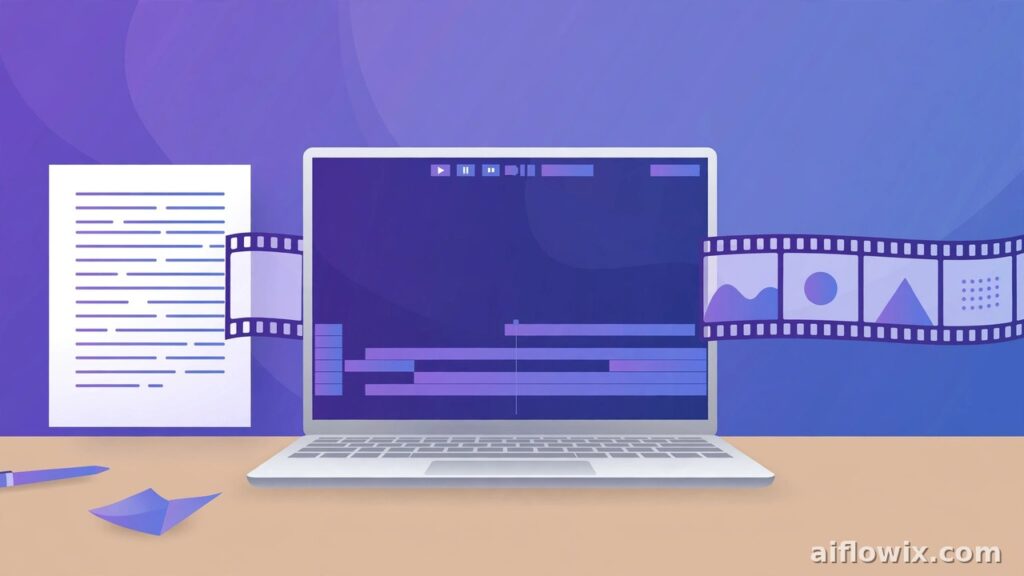
Welcome to our Pictory AI review. Making videos used to take hours. In addition, you needed editing skills, costly software, and a fast computer. Then Pictory AI came along with a big promise. In fact, it turns your text, scripts, and blog posts into videos in minutes. But does it really work in 2026? And is it worth your money? Let us find out.
In this Pictory AI review, we break down its features, pricing plans, pros, and cons in plain, simple words. No jargon. No hype. By the end, you will know exactly whether Pictory is the right tool for you.
Pictory AI Review: Quick Verdict
Here is the short version. Pictory AI is a solid text-to-video tool for beginners. Specifically, it works best for bloggers, marketers, and freelancers who want to turn written content into videos fast. However, it is not a full video editor. So what is our final take in this Pictory AI review? If you want quick faceless videos for YouTube or social media, Pictory is worth trying. Our score: 4.0 out of 5.
What Is Pictory AI?
Before we go deeper, let us cover the basics. Pictory AI is an online video maker. You give it a script, a blog post link, or even a long video. Then its AI picks stock footage, adds a voiceover, adds captions, and builds a complete video for you.
Everything runs in your web browser. As a result, there is nothing to download or install. You also do not need any video editing skills. In fact, students, freelancers, and small businesses already use Pictory to make videos for YouTube, Instagram, TikTok, and LinkedIn.
The tool is famous for one thing: turning written content into videos. For example, if you already write blog posts, Pictory can turn them into videos with almost no extra work from you.
Who Should Use Pictory AI?
Let us be honest. No tool fits everyone. So here is a simple way to decide.
Pictory is a good fit for you if:
- Bloggers and freelancers who write content and want to turn it into videos.
- Faceless YouTube creators who want faster production.
- Students and beginners with zero video editing skills.
- Small businesses that need simple promo videos.
- Teachers who want to turn lessons into short video clips.
- Anyone who needs captions, since most people watch social videos on mute.
On the other hand, Pictory is probably not right for you if you:
- Need talking-head videos with a real presenter on screen. In that case, tools like Synthesia or HeyGen do a better job.
- Want full creative control over every single frame, like in Adobe Premiere or DaVinci Resolve.
- Make movies or high-end ads that need a unique, artistic look.
Pictory AI Review: Key Features
Now let us look at what Pictory can actually do. We tested each feature below for this Pictory AI review.

1. Script to Video
To begin, this is the heart of Pictory. First, you paste your script into a box. Then Pictory reads it and splits it into scenes. Next, for each scene, it picks a matching stock video clip from its large library. Finally, it adds your text as captions on the screen. You can review the result, swap any clip you dislike, and export the video.
The whole process takes just a few minutes. In fact, a video that would take three hours to edit by hand can be ready in about 15 minutes.
2. Article or Blog URL to Video
Got a blog post? Just paste its link. Pictory then pulls the text from the page by itself. After that, it finds the key points and turns them into video scenes. This is perfect for bloggers. You can reuse old posts as YouTube or TikTok videos without writing a single new word.
3. Long Video to Short Highlights
Pictory can also take a long video, like a webinar or a podcast, and find the best moments. Then it cuts those moments into short clips for YouTube Shorts, Reels, or TikTok. As a result, you do not have to watch the full video and cut it by hand. That alone can save you hours every week.
4. Large Stock Media Library
Pictory gives you access to millions of stock videos and images from Getty Images and Storyblocks. However, the exact number depends on your plan. Still, even the basic plan includes millions of assets. Plus, you pay nothing extra for stock footage. The AI also suggests clips for each scene on its own.
5. AI Voiceovers
You do not need to record your own voice. Instead, Pictory includes AI voices that read your script aloud. For example, the basic plan comes with more than 30 standard voices. The Professional plan adds ElevenLabs voices, which sound far more natural. Pictory supports 29 languages too, so you can make videos in English and many more languages.
6. Automatic Captions
Pictory adds captions to your videos automatically. The captions are accurate and look clean. You can also change their style, color, and position. Since most people watch social media videos without sound, good captions are a must. Thankfully, Pictory handles this job well.
7. Brand Kits
A brand kit keeps all your videos looking the same. You save your logo, brand colors, and fonts inside Pictory once. Then every new video uses them automatically. The Starter plan gives you one brand kit, while higher plans give you more.
8. Music Library
Pictory includes thousands of background music tracks. For instance, you can add music to your video with one click. Best of all, the tracks are royalty-free. So you can use them on YouTube without fear of copyright strikes.
How Pictory AI Works: 4 Simple Steps
Making a video with Pictory is simple. Here is the full process:
Step 1: Choose your input. Paste a script, paste a blog link, or upload a long video you want to shorten.
Step 2: Let the AI build the draft. Pictory reads your text and splits it into scenes. Then it picks matching stock footage for each scene. It also adds a voiceover and captions.
Step 3: Review and fix. Now watch the draft video. Change any clip that does not fit. Fix captions if needed. This step takes only a few minutes, but do not skip it. Why? Because the AI sometimes picks a clip that does not match your topic.
Step 4: Export. Finally, pick your video size. Choose wide for YouTube, or square and vertical for social media. Then export. Your video is ready to upload.
For more video tools like this, check our guide on free AI video generators.
Pictory AI Review: Pricing in 2026
For this Pictory AI review, we checked Pictory’s official pricing page. It offers a free trial and three paid plans. Here is the full breakdown:

| Plan | Price (monthly billing) | Price (annual billing) | Video minutes per month | Best for |
|---|---|---|---|---|
| Free Trial | $0 | $0 | A few free videos | Testing the tool |
| Starter | $25/month | $19/month | 200 minutes | Beginners and solo creators |
| Professional | $49/month | $35/month | 600 minutes | Regular creators and small teams |
| Teams | $149/month | $119/month | 1,800 minutes | Agencies and marketing teams |
The free trial lets you make a few videos without a credit card. So it is the safest way to test Pictory before you pay a single dollar.
The Starter plan is enough for most beginners. You get 200 video minutes per month, 720p exports, millions of stock assets, thousands of music tracks, and one brand kit.
The Professional plan is the best value for serious creators. You get 600 video minutes and full HD (1080p) exports. It also includes ElevenLabs AI voices, five brand kits, and 500 generative AI credits for AI-made images and clips.
The Teams plan is built for groups. It supports three or more users, shared brand kits, and team collaboration tools.
One warning: prices can change. Therefore, always check the official Pictory website for the latest prices before you buy.
If you want to compare with other tools first, read our list of the best free AI video generators in 2026.
Pictory AI Pros
Here is what stood out during our Pictory AI review. These are the real strengths:
- Very easy to use. You do not need any editing skills. If you can paste text, you can make a video.
- Fast video creation. In fact, a full video takes minutes, not hours. That is great for people who publish often.
- Perfect for repurposing content. Turn old blog posts into fresh YouTube or TikTok videos with one click.
- No software to install. Everything runs in your browser. So it works on any computer.
- Good captions and voices. The auto captions are accurate. Plus, AI voices cover 29 languages.
- Large stock library included. Millions of videos and images come with every paid plan. No extra fees at all.
- Good for faceless videos. Freelancers making faceless YouTube channels will find it very useful. Also see our guide on AI tools for YouTube Shorts automation for more ideas.
Pictory AI Cons
No tool is perfect. Our Pictory AI review also found a few weak spots you should know about:
- Limited editing control. You cannot fine-tune every frame. There is no real timeline editor. So if you want full control, Pictory will feel basic.
- The videos can look similar. Many users pick clips from the same stock library. As a result, your video might look like someone else’s video made with the same tool.
- The AI picks wrong clips sometimes. Always preview before you export. The AI matches clips by keywords, not by meaning. Still, a two-minute check saves you from posting a video with odd visuals.
- AI avatars are still basic. The avatar feature exists, but it is not as good as tools built only for avatars, like Synthesia or HeyGen.
- Needs internet. Pictory is fully cloud-based. Therefore, you cannot work offline.
- No free plan. There is only a free trial. After the trial ends, you must pay to keep making videos.
- Price jumps are steep. Moving from Starter to Professional doubles the cost. For that reason, solo creators may find the higher plans costly.
Pictory vs Alternatives
A good Pictory AI review should mention the alternatives. So how does Pictory compare?
Pictory vs InVideo: Both turn text into video. InVideo offers a permanent free plan with watermarked videos, which is nice for testing. Pictory only has a trial. However, Pictory is stronger at turning long blog posts into videos. InVideo, on the other hand, has more templates and focuses more on ads. For pure text-to-video speed, Pictory wins. For template variety, InVideo wins.
Pictory vs Lumen5: Lumen5 is also built for turning articles into videos. It is simple and cheap. But Pictory has a larger stock library, better AI voices, and more export minutes per month. That is why most creators pick Pictory over Lumen5 in 2026.
If you are a freelancer picking tools for client work, start with our guide on the best AI tools for freelancers. It will help you build your full toolkit.
A Real Example: How a Freelancer Uses Pictory
Let us look at a real example. Ayesha is a freelance writer from Lahore. She writes blog posts for clients. Each week, she also turns her best posts into YouTube videos. Before Pictory, one video ate up her entire day. She had to hunt for clips, record audio, and edit everything by hand. It was exhausting.
Now her process is simple. She pastes her blog post link into Pictory. The tool builds a draft video in minutes. Then she spends 20 minutes fixing clips and captions. After that, she exports and uploads. So one blog post now gives her two pieces of content: the article and the video. Her YouTube channel grew from zero to 2,000 subscribers in six months, mostly from repurposed blog content.
This is where Pictory shines. It does not replace skill. Instead, it removes the boring, slow parts of video making.
Pictory AI for Students
Students can use Pictory too. For example, turn your study notes into short revision videos. Or paste your essay draft and watch it as a video to spot weak points. You can even make a video presentation for class without filming yourself. Since the free trial needs no credit card, students can test it with zero risk.
7 Tips to Get the Best Videos from Pictory AI
Want better results? Follow these seven tips:
1. Write clean scripts. Short, clear sentences work best. Why? Because the AI splits scenes by sentence. Messy text gives messy scenes.
2. Always preview before export. The AI sometimes picks a clip that does not match your words. So watch the full draft once. Swap any odd clips. This takes two minutes and can save your whole video.
3. Keep one idea per scene. Do not cram three ideas into one sentence. One idea per scene means the right clip lands on each scene.
4. Pick the right voice. Try two or three voices before you settle. A calm voice fits tutorials. An energetic voice, on the other hand, fits promos.
5. Use your brand kit. Add your logo and colors just once. Then every future video will look like yours, not like a template.
6. Check the captions. Auto captions are good but not perfect. Therefore, fix names, numbers, and brand terms by hand.
7. Start with the trial. Test Pictory on your real content before you pay. Make two or three trial videos first. If the workflow fits your style, then buy a plan.
Pictory vs Hiring a Video Editor: The Cost Math
Is Pictory cheaper than hiring help? Let us do some simple math.
A freelance video editor charges $10 to $50 per video for basic work. So if you need 10 videos a month, that costs $100 to $500. The Pictory Starter plan, in contrast, costs $19 per month with annual billing. And it gives you 200 video minutes. That is enough for 20 to 40 short videos.
For a beginner or a small business, Pictory clearly costs less. However, the trade-off is quality. A human editor gives you custom work. Pictory gives you fast, template-style work. Still, many creators start with Pictory, grow their channel, and hire an editor later when the income justifies it.
FAQs About Pictory AI
Is Pictory AI free?
Pictory is not free, but it offers a free trial. You can make a few videos without paying and without a credit card. After the trial, paid plans start at $19 per month with annual billing.
Can beginners use Pictory AI?
Yes. Pictory is made for beginners. You do not need editing skills. Just paste your text, review the draft, and export. That is the full process.
Does Pictory AI add a watermark?
Trial videos may carry a watermark depending on the current trial terms. All paid plans, however, export videos with no watermark.
Can I use Pictory videos on YouTube?
Yes. For example, many creators use Pictory for faceless YouTube videos and Shorts. The music is royalty-free, and the stock footage is licensed. Just make sure your content is original and follows YouTube’s rules.
Which Pictory plan is best?
For most solo creators, the Starter plan is enough. But if you publish daily or need ElevenLabs voices and 1080p exports, the Professional plan is the better pick.
Can I use Pictory videos for client work?
Yes. Paid plans include a commercial license. So you can make videos for clients and charge for your work. In fact, many freelancers offer ‘blog to video’ as a paid service using Pictory.
Can I cancel my Pictory plan anytime?
Yes. There are no long contracts. You can cancel from your account settings. Still, note that annual plans are paid upfront. So check their refund policy before you pick annual billing.
Which languages does Pictory support?
Pictory supports 29 languages for voiceovers and captions. Before you buy, open the voice list inside Pictory to check if your language is there.
Pictory AI Review: Final Verdict — Is It Worth It in 2026?
So, is Pictory worth it? Here is our closing thought on this Pictory AI review. In short, Pictory does one job very well: it turns text into video fast. It will not replace a skilled video editor. It will not make cinematic films. But that was never its goal.
Its goal is speed and ease. For bloggers, freelancers, students, and small businesses who want more video content with less effort, Pictory delivers real value. And the free trial makes it easy to test with zero risk.
Our final score: 4.0 out of 5. Try the free trial first. If you like the workflow, the Starter plan is a fair price for what you get.