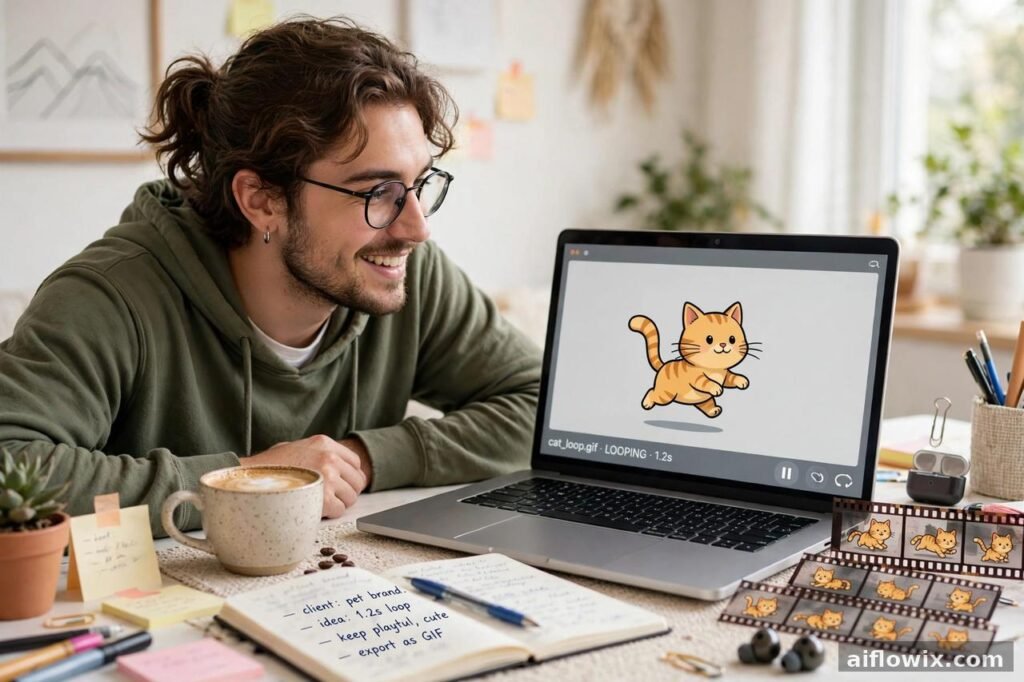
You know that moment when a still image just isn’t enough? A product photo sits there. A class slide sits there. Nothing moves, so nobody stops. Well, ChatGPT just got a fix for that — a small one, but a useful one. It can now make an animated GIF for you, right inside the chat. Type a prompt, or upload a photo, and out comes a short loop. Then you can change its speed, poke through its frames, and fix the dodgy one before you share it. No extra app. No video editor. Just the chat you already use.
What happened
So what actually changed? On November 4, 2026, The Verge reported that OpenAI is rolling out this GIF feature with Images 2.6. Until now, ChatGPT was great at still images and pretty useless at GIFs — you had to stitch frames together yourself, or go find another tool. That extra work is what this update kills. A GIF is now a first-class output, not a workaround.
The example OpenAI shared was almost silly in how simple it was: a cat, dancing. Ask, get a GIF, change the speed, look at it frame by frame. Done. And honestly? That simplicity is the story. Nobody needs a film studio for a three-second loop. They need the loop, fast, with a way to fix it when it goes wrong.
How GIFs work in ChatGPT
Two ways in, both dead simple.
One: write what you want. “A red ball rolls across a desk” beats “make something move” every single time, because the tool can only work with what you actually tell it. Two: upload a photo and ask ChatGPT to animate it. The photo becomes the starting point, and the motion grows out of it.
After that first GIF lands, don’t just grab it and run. This is where the update earns its keep. Slow it down if it feels rushed. Speed it up if it drags. Open the frames and go through them, one by one — because here’s the thing about short loops, they live or die on tiny details. One hand bends wrong. One face shifts halfway through. The loop jumps at the end instead of flowing round again. Spot that frame, fix that frame, and the whole thing suddenly looks like you meant it.
Two new image models for developers
Now, the developer side of the same update — I’ll keep this short, because most readers won’t touch the API, but it’s worth knowing. Images 2.6 brings two new models: GPT-Image-2.6 Flare, built for speed, and GPT-Image-2.6 Sunburst, built for top quality. Fast versus polished. That’s the same split Images 2.5 had, so nothing shocking there. The real news for normal users is still the GIF side: animation, inside the chat, with editing built in.
And a number, because numbers get thrown around a lot with this stuff: OpenAI says people now make over 4 billion images a week across ChatGPT and the API, up from over 3 billion back in September 2026. Sounds huge, and it is — but hold on. That’s all images, not GIFs. Nobody’s published a GIF-only number yet. So if someone tells you “everyone’s making GIFs now” and quotes that 4 billion figure, they’re stretching it. The GIF feature is days old. Give it time.
Why this matters for freelancers
Right, let’s talk money — or at least, work. If you make posts, ads, or content for clients, a GIF is a cheap way to add motion. A shop sale? A GIF shows the product moving in three seconds. A before-and-after? One loop tells the whole story, no video shoot needed. A post that would’ve sat still now moves, and moving things catch eyes. That’s the whole game on social feeds.
The jobs that fit best are the small ones, and that’s fine — small jobs pay too. A teaser for a sale. A product photo with a bit of life in it. Two versions of one idea, fast and slow, so the client picks the one that feels right. All inside ChatGPT, no file-hopping between apps for a five-second clip. Lovely.
But — and this is a big but — a GIF is not a video, and pretending it is will embarrass you in front of a client. No sound. Short. Loops forever. It can’t carry a tutorial, it can’t carry a full ad. What it
can do is one clear idea, done well. So keep the motion simple, check the frames like I said, and only send the clean version. A tidy loop says “I know what I’m doing.” A messy one says theopposite, louder than you’d like.

Why this matters for students
Students, this one’s for you too. Homework doesn’t have to be a wall of text and one sad photo. A GIF can show water boiling, a plant growing, a ball rolling — a process, not just a picture of it. Teachers notice that kind of thing. Classmates do too.
And here’s a skill hiding inside the fun: prompting. Vague in, vague out — that’s the rule with every AI tool, and GIFs prove it in about ten seconds. “Make something move” gives you mush. A subject, a motion, a setting — “a red ball rolls across a desk” — gives you something usable. Learn that habit now and it follows you into every other tool you’ll use for study or work. If you want the bigger picture, read our guide to the best AI tools for social media content creation. Also read our comparison of ChatGPT, Gemini, and Claude for students.
How to try it
Ready? Open ChatGPT — web, desktop, phone, take your pick, the rollout covers all ChatGPT and Codex users on all of them. Ask for your GIF in normal words. Subject, motion, done. Or upload that photo and ask for animation.
Then, please, do the check. Change the speed. Step through the frames. Fix the weak one. Then share.
Start small, seriously. A dancing cat. A steaming cup. Something silly, something low-stakes. You’ll learn in two minutes what the tool does well and where it trips up — faces, hands, text, the usual suspects — and that lesson is worth more than a perfect first try, because your second try will be the one you actually show people.

Limits to keep in mind
Time for honesty, because a news post that only cheers is a bad news post. First: this is a rollout report, from The Verge on November 4, 2026, picked up by other outlets. It’s not a complete official manual. OpenAI hasn’t yet laid out the GIF limits in full — how long, how big, what free accounts get. Those answers will come, and they might differ by plan, so don’t assume your account gets the same deal as someone else’s.
Second: quality wobbles. Faces drift. Hands do weird things. Text inside an image can melt between frames. Annoying, yes, but that’s why the frame check exists — use it, especially for anything a client will see. First draft straight to a client is how you lose a client.
Third, and this one sounds obvious until you forget it: a GIF has no sound and no length. A tutorial needs a video. A full ad needs a video. A GIF needs one idea. Match the format to the job and you’ll look smart. Force it and you’ll look lazy.
The bottom line
So where does that leave us? ChatGPT can make GIFs now, edit their frames, change their speed, and hand you a shareable loop without leaving the chat. For creators, freelancers, and students, that’s faster short content for posts, teasers, and class work — as long as you do the unglamorous part. Make it. Check it, frame by frame. Fix it. Then share it. Skip the middle steps and the tool will happily let you post something sloppy. Don’t.
Sources
The Verge report on ChatGPT GIF creation and Images 2.6, as covered by Unite.AI: Unite.AI — ChatGPT Adds Animated GIF Creation and Editing with Images 2.6
Mezha coverage of the same November 4, 2026 report: Mezha — ChatGPT can now create animated GIFs