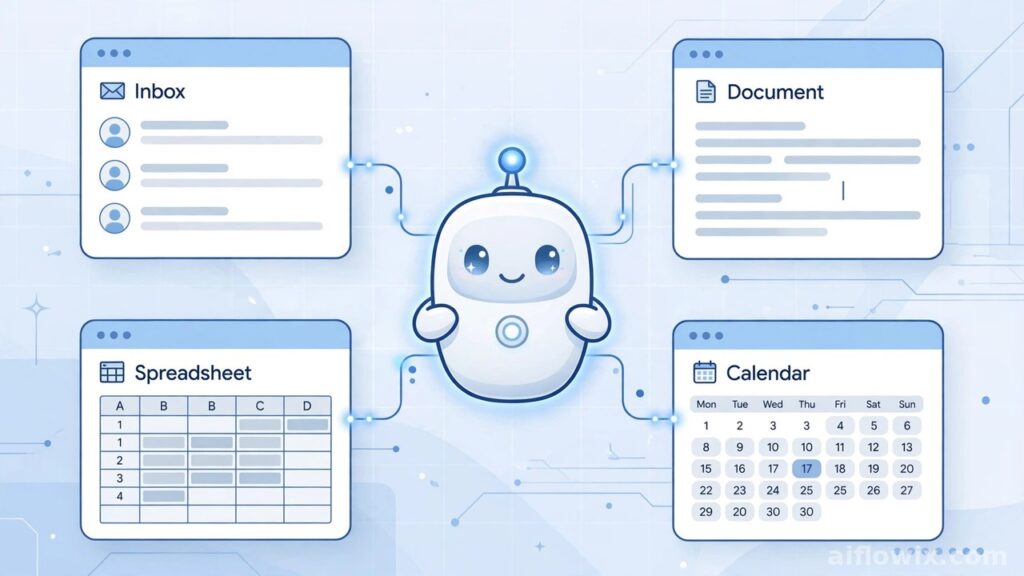
Summary: On October 8, 2026, Google Cloud dropped a big announcement: the Gemini agent for work. It’s one AI agent that actually does your work for you — answers questions, handles tasks, writes code, creates content. And it lives right inside the apps you already use: Gmail, Docs, Sheets, Calendar, Slack, even Microsoft 365.
What happened
Google Cloud made the announcement on Thursday, October 8, 2026. The new Gemini agent is a single AI agent built for work — not a chatbot you chat with for fun, but a helper that gets things done.
Here’s the pitch: instead of jumping between ten different AI tools, you tell one agent what you want. It figures out the plan, opens the right tools, connects to your work systems, and comes back with the finished job.
The finished work shows up where you need it — as a document, an email, or code in your developer tools. No copy-paste dance between apps.
What the Gemini agent for work can actually do
Let’s break it down. The Gemini agent doesn’t just talk — it acts. Give it a goal, and here’s what happens behind the scenes.
First, it plans. You say what you need, and it splits the job into steps. Then it uses tools — opening apps, reading files, pulling data from whatever systems you’ve connected. Finally, it delivers. The result lands in a document, an email, or your dev environment.
It works directly inside Google Workspace: Gmail, Docs, Sheets, Calendar. It also plugs into Microsoft 365 and Slack. That part matters, because you don’t have to learn a new app. The agent just shows up where you already work.
Coworker agents: digital teammates with their own email
This is the part that caught my eye. Google lets you create “coworker agents” — AI helpers that behave like actual team members.
Every coworker agent gets its own email address. And here’s the important bit: it only sees what you let it see. Nothing more. If you never gave it access to your private files, it can’t peek at them.
Why does this matter? Picture a small business owner drowning in client emails. You could set up a coworker agent to handle the first replies. Or say you’re a freelancer — the agent could organize your project folders and draft proposals while you do the actual client work.
It’s like hiring help without, well, hiring.

Smart model choice: Gemini and Claude under the hood
One more interesting detail: the Gemini agent doesn’t stick to one AI model. It picks the best one for each task.
Under the hood it runs on Google’s Gemini models plus Anthropic’s Claude models, and Google says more models are on the way. The agent makes the choice itself.
Some jobs need speed. Others need careful thinking. By matching the right model to the job, the agent tries to get you both. You never have to think about which model does what — that’s its problem, not yours.
Special versions for different industries
Google isn’t stopping at one generic agent. They’re building versions tuned for specific industries.
The financial services and legal versions are already in preview — a small group of users can try them now. Government, healthcare, and retail versions are coming next.
The message is pretty clear. Google wants this agent to become the default AI helper at work, whatever your job looks like.
The bigger race: OpenAI dots and Meta Muse
Zoom out and this launch fits a bigger pattern. Every tech giant is racing to sell AI that works on its own.
OpenAI got there first in September with always-on agents called “dots” — agents that chase your goals across apps by themselves. We covered that launch here: OpenAI Launches Dots AI Assistant.
Then Meta released Muse, a personal AI agent that shops, books travel, sends emails, and even makes payments for you. You can read our take here: Meta Muse AI Agent for Small Business.
Now Google’s in the ring. Each player has a different angle. OpenAI is all about goals across apps. Meta wants to handle your personal life. Google is going after the workplace — and it’s betting on the apps where most office work already happens.
What the Gemini agent for work means for freelancers and students
This is where it gets real for our readers. Freelancers, students, small business owners — most of you do everything yourself. An AI agent living inside Gmail and Docs could genuinely save you hours every week.
Say you’re a freelancer getting ten client emails a day. The Gemini agent could read them, draft your replies, update your project sheet, and drop reminders on your calendar. You just review and hit approve.
Or you’re a student juggling a group project. The agent could pull together research, organize your notes in a document, and keep track of deadlines.
And those coworker agents? For a tiny team, they’re basically digital teammates. No hiring, no payroll — just one agent per role, each staying inside its limits.
The one thing we don’t know yet: the price. Google hasn’t said a word about pricing. You might need a Google Cloud or Workspace plan to get in. We’ll update this article the moment pricing details drop.

What happens next
The Gemini agent is live now. Industry versions are rolling out — financial services and legal previews are already open, and more are coming.
The real test is trust. Will people hand over their emails and documents to one AI agent? Google’s answer is the coworker agent design: limited access, its own email address, clear boundaries.
One thing’s certain though — the AI agent race is speeding up. And Google just made its move right where most office work happens: inside Gmail, Docs, and Sheets.
We’ll keep watching this one. And we’ll test the Gemini agent ourselves as soon as it opens up for everyone. Meanwhile, if you want to compare your options, check our guide: Best AI Tools for Freelancers.